All guidesUpdated · 8 min read
Claude Code agent teams: how to turn them on and get real work out of them
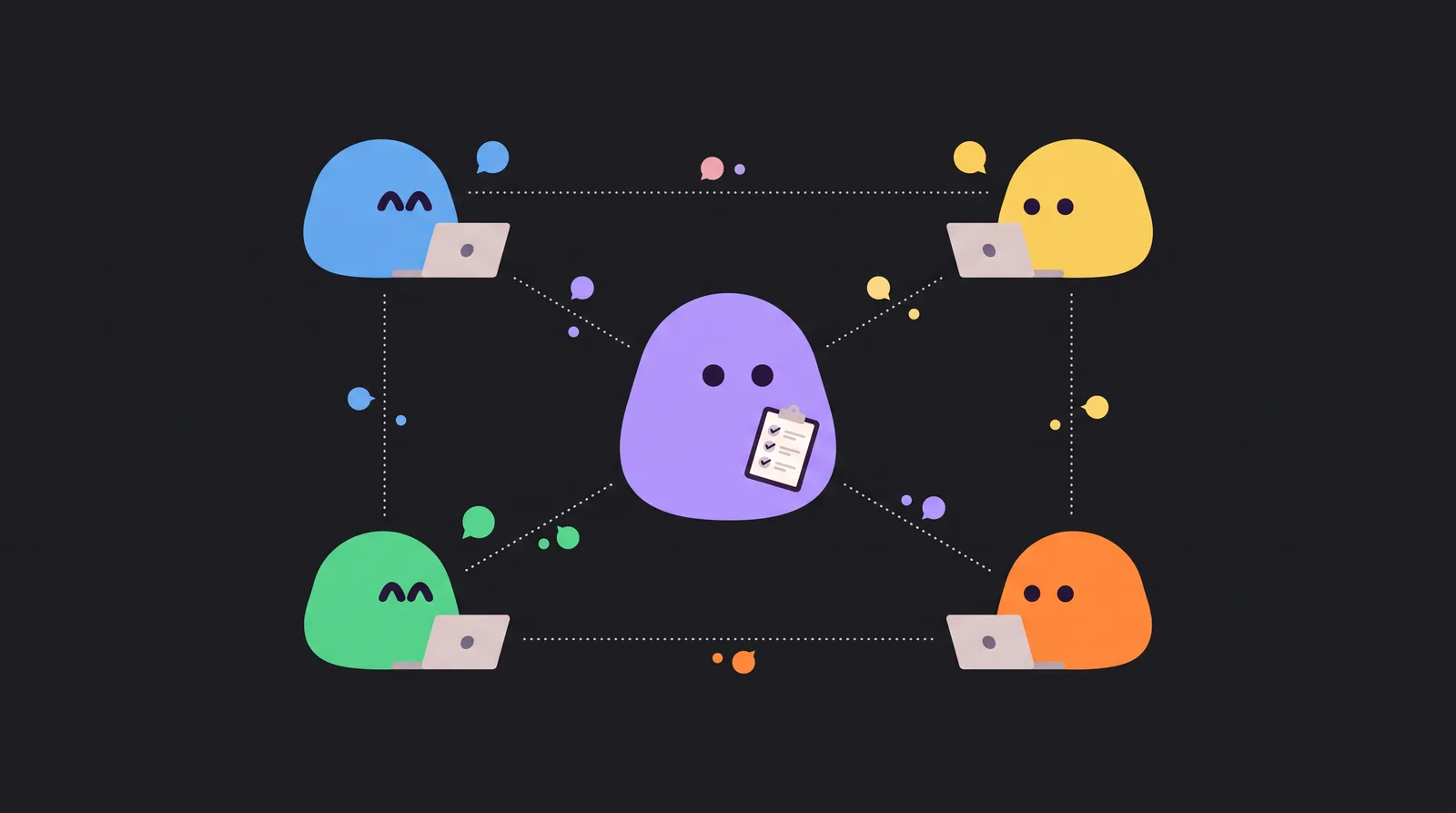
Agent teams let one Claude Code session act as a team lead that spawns other Claude Code sessions as teammates. Each teammate has its own context, they share a task list and message each other directly, and you can talk to any of them. The feature is still experimental: turn it on with CLAUDE_CODE_EXPERIMENTAL_AGENT_TEAMS=1, ask for a team in plain English, and start with three to five teammates on work that splits cleanly.
Anthropic shipped agent teams on February 5, 2026, alongside Claude Opus 4.6, as a research preview. Nine months later it's still behind a flag, the docs have changed a fair bit, and a lot of the guides you'll find describe behavior that no longer holds (plan approval is the classic example). This is the version we wish we'd had: current as of November 2026, checked line by line against Anthropic's docs.
Not to be confused with the Claude Team plan, which is Anthropic's business subscription for groups of people. Agent teams are a Claude Code feature, and they work on any plan that includes Claude Code.
What an agent team is
A normal Claude Code session is one agent with one context window. It can hand small jobs to subagents, which go off, do one thing, and report back to it.
An agent team is different:
- The team lead is your main session. It spawns teammates, hands out work and pulls the results together.
- Teammates are separate Claude Code instances. Each has its own context window, loads your CLAUDE.md, MCP servers and skills, and doesn't inherit the lead's conversation.
- A shared task list holds the work items. Tasks can be pending, in progress or completed, can depend on each other, and teammates claim them (with file locking, so two don't grab the same one).
- A mailbox lets teammates message each other by name, and you can message any of them directly without going through the lead.
The point isn't "more agents". It's agents that can disagree, hand work to each other and keep going without the lead micromanaging.
Turn it on
Agent teams are off by default. Add the flag to your settings.json (or set it in your shell environment):
{
  "env": {
    "CLAUDE_CODE_EXPERIMENTAL_AGENT_TEAMS": "1"
  }
}
Two things to know before you do:
- It only works in interactive sessions. In
claude -por the Agent SDK, Claude won't spawn teammates. - Teams can form without you asking. While the flag is on, any subagent Claude gives a name starts as a teammate, and there's no confirmation prompt. If that surprises you mid-task, set the flag to
"0"; it applies to the running session as soon as you save.
Start your first team
Just ask, and be specific about the roles. This is the example from Anthropic's docs:
I'm designing a CLI tool that helps developers track TODO comments across
their codebase. Spawn three teammates to explore this from different angles:
one on UX, one on technical architecture, one playing devil's advocate.
If Claude answers with subagents instead, ask again and explicitly request an agent team.
See and talk to your teammates
By default every teammate runs inside your terminal. An agent panel under the prompt lists them: use the arrow keys to pick one and Enter to open its transcript and type to it. Escape goes back (and, while you're viewing a teammate, interrupts its turn). x stops the selected teammate, and Ctrl+T shows the task list.
If you prefer one pane per teammate, run Claude Code inside tmux or iTerm2 and set:
{
  "teammateMode": "auto"
}
"auto" uses split panes when it can and falls back to in-process otherwise; "tmux" and "iterm2" force one. For iTerm2 you need its Python API enabled (Settings, General, Magic) and the it2 command.
A few rules that trip people up:
- While you're looking at a teammate, normal messages and skills go to that teammate, but built-in commands like
/compactstill go to the lead. - Teammates message each other one at a time. There's no broadcast, so tell the lead what to name each teammate and who should hear what.
- When a teammate needs a permission, the prompt shows up in the lead's session, and a teammate can never approve something on your behalf.
Prompts that work
Parallel review. Each reviewer gets one lens, so findings don't overlap:
Spawn three teammates to review PR #142:
- One focused on security implications
- One checking performance impact
- One validating test coverage
Have them each review and report findings.
Competing hypotheses. This is where teams beat a single agent, because teammates actually argue:
Users report the app exits after one message instead of staying connected.
Spawn 5 agent teammates to investigate different hypotheses. Have them talk to
each other to try to disprove each other's theories, like a scientific
debate. Update the findings doc with whatever consensus emerges.
Pick the model per teammate. A strong lead with cheaper teammates is usually the right trade:
Spawn 4 teammates to refactor these modules in parallel. Use Sonnet for
each teammate.
Reuse a role you already defined. If you have a subagent definition, a teammate can use it (its tools, model and instructions, though not its skills):
Spawn a teammate using the security-reviewer agent type to audit the auth module.
Plan approval: it's not what older guides say
Many guides say the lead reviews every teammate's plan. By default it doesn't. If you put the lead in plan mode and spawn a teammate ("Spawn an architect teammate to refactor the authentication module"), the teammate plans and sends an approval request, and Claude Code approves it automatically unless you changed that teammate's permission mode. To actually review plans, switch a running teammate into plan mode yourself (Shift+Tab while viewing it); then its plans come back to the lead for approval or changes.
Quality gates with hooks
Three hooks let you enforce your own rules on a team:
- TeammateIdle runs when a teammate is about to go idle. Exit with code 2 to send it feedback and keep it working (for example, "tests still fail").
- TaskCreated can block a task from being created.
- TaskCompleted can refuse to mark a task done, say until a check passes.
They don't take matchers: they fire every time.
What it costs
Each teammate is a full Claude Code session, so usage scales with the number of active teammates. Anthropic's cost docs say teams use about 7x the tokens of a normal session when teammates run in plan mode. On a Pro plan you'll hit your limits fast.
How to keep it reasonable:
- Start with 3 to 5 teammates. The docs are blunt: "Three focused teammates often outperform five scattered ones." Aim for five or six tasks per teammate.
- Use a cheaper model for teammates and keep the strongest one for the lead.
- Write focused spawn prompts. Teammates don't see the lead's history, so give them the context they need up front.
- Shut teammates down when they're done ("Ask the researcher teammate to shut down").
- If teammates sit idle between turns, set
subagentPromptCacheTtlto1hso their prompt cache doesn't expire after five minutes.
Known limits and pitfalls
Straight from Anthropic's docs, which are refreshingly candid about them:
- No resume.
/resumeand/rewinddon't bring back in-process teammates. If the session ends, the team is gone (the task list stays on disk). - One team per session, and no nested teams: teammates can't spawn their own.
- The lead is fixed; you can't hand leadership to a teammate.
- Teammates start with the lead's permission mode, including "bypass permissions" if that's what the lead uses.
- Task status lags. Teammates sometimes forget to mark a task complete, which blocks everything that depends on it. Nudge them, or use a TaskCompleted hook.
- The lead gets impatient. It may start doing the work itself or call it done early. Tell it: "Wait for your teammates to complete their tasks before proceeding."
- Two teammates, one file, one overwrite. Give each teammate its own files or folders.
- Orphaned tmux sessions can pile up;
tmux lsandtmux kill-sessionclean them.
Agent teams or subagents?
| Subagents | Agent teams | |
|---|---|---|
| Context | Their own, results go back to the caller | Their own, fully independent |
| Communication | Report to the main agent | Message each other directly |
| Coordination | The main agent manages everything | A shared task list and messages |
| Best for | Focused jobs where only the result matters | Work that needs discussion, debate or handoffs |
| Token cost | Lower | Much higher |
Anthropic's own advice: use subagents for quick, focused workers that report back; use agent teams when teammates need to share findings, challenge each other and coordinate on their own. Teams shine on reviews, research, debugging with competing theories, and features that cut across frontend, backend and tests. They're a poor fit for sequential work or many edits to the same files.
About that C compiler
You may have read that "a team of Claudes" built a C compiler. That's true, and impressive: Anthropic's Nicholas Carlini ran 16 Opus 4.6 agents over about two weeks and roughly 2,000 sessions, for just under $20,000 of API usage, and got a 100,000-line Rust compiler that builds Linux 6.9. But it ran on a custom harness (a bash loop, one Docker container per agent, a shared git repo and lock files), not the agent teams feature. It's a great read on how far parallel agents can go; just don't expect to reproduce it by flipping the flag.
When the team needs to outlive your terminal
Agent teams are great for a burst of parallel work inside one session on one machine. They're not built for work that lasts days, starts on its own, or involves the rest of your company: there's no resume, everything stops when the session does, and the team doesn't know your inbox, your Stripe account or your colleagues.
That's what we built Brigade for. It runs the official Claude Code (and Codex) as a standing team of AI teammates, each signed in with your own account, so your Claude or ChatGPT plan does the work:
- Teammates with jobs that persist: support, marketing, sales and code, each with its own computer, the Apps you give it (Gmail, GitHub, Stripe, Notion, Linear…) and a memory shared across the team.
- Threads instead of terminals: you and your colleagues talk to teammates in threads that stay, and a teammate can hand work to another in a sub-thread.
- They start on their own, from a schedule or an event like a new email, a webhook or a failed payment.
- One list for decisions: you choose which App actions wait for your yes, and they all land in one Needs you list on your phone.
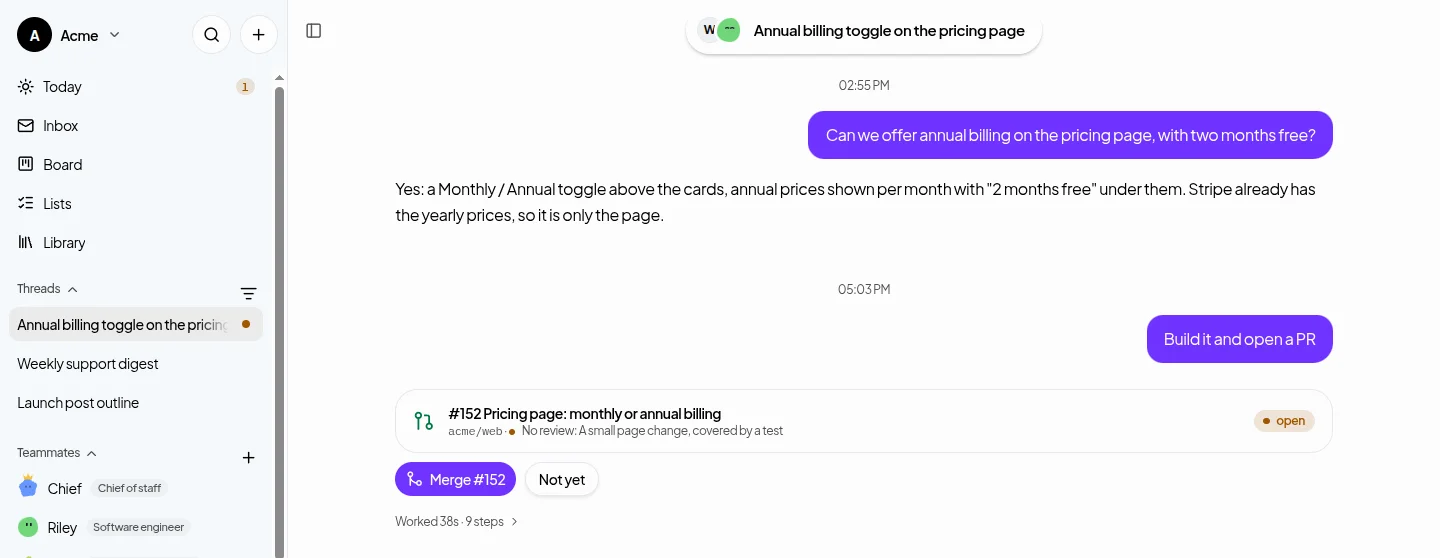
It's open source (MIT) and free on your own computer, and Brigade Cloud ($99 a month per workspace) gives teammates a computer that keeps working when yours is off. See Brigade vs Claude Code and Codex alone for the full comparison.
Questions people ask
How do I enable agent teams in Claude Code?
Set CLAUDE_CODE_EXPERIMENTAL_AGENT_TEAMS to 1, either in the env section of your settings.json or in your shell, then ask Claude in an interactive session to spawn a team of teammates. The feature is experimental and off by default.
What is the difference between agent teams and subagents in Claude Code?
Subagents do a focused job and report back to the main agent. Agent teams are separate Claude Code sessions that share a task list, message each other directly and can be messaged by you. Teams cost more tokens and suit work that needs discussion; subagents suit quick, isolated jobs.
How much do Claude Code agent teams cost?
Each teammate is a full Claude Code session, so usage grows with the number of teammates. Anthropic says teams use about 7x the tokens of a standard session when teammates run in plan mode. Use 3 to 5 teammates, a cheaper model for them, and shut them down when done.
How many teammates should a Claude Code agent team have?
Anthropic recommends starting with 3 to 5 teammates and about 5 or 6 tasks each. Three focused teammates often outperform five scattered ones, and more teammates mean more coordination and cost.
Can I resume a Claude Code agent team?
No. /resume and /rewind do not restore in-process teammates, so the team ends with the session, although the task list stays on disk. You also get one team per session, and teammates cannot spawn their own teams.
Is the Claude Team plan the same as agent teams?
No. The Claude Team plan is Anthropic’s subscription for a group of people. Agent teams are a Claude Code feature that lets one session coordinate other Claude Code sessions.
Sources, checked on November 15, 2026
What this guide says about other products comes from these pages. Products change: if something here is out of date, open an issue on GitHub.